
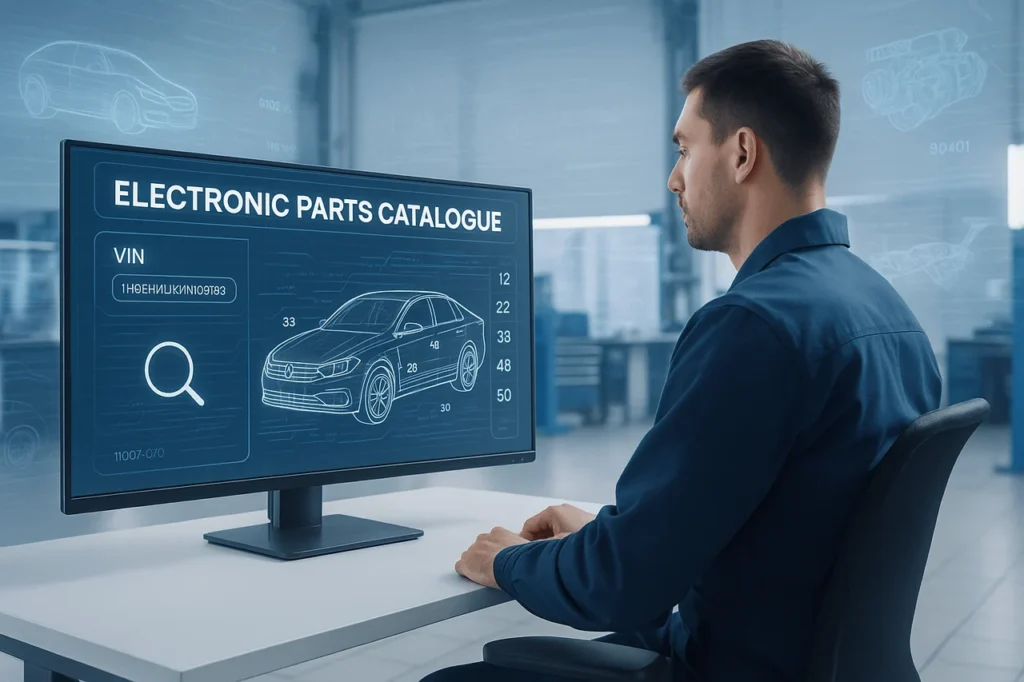
In today’s automotive market, efficiency and accuracy are essential in getting the correct parts for your vehicle. With thousands of available parts for every make and model, it is not easy to find the exact match. It isn’t easy. This is the reason why VIN lookups within an Electronic Parts Catalogue (EPC) are a valuable tool.
Utilising the Vehicle Identification Number (VIN), experts can pinpoint components that are specifically customised to a specific vehicle’s configuration, which ensures compatibility, reducing returns and enhancing the customer’s satisfaction.
We’ll explore how VIN lookup in EPC systems works, provide a step-by-step guide, discuss benefits and challenges, and answer common questions to help you optimise your parts selection process.
What Is a VIN Lookup?
The vehicle identification number (VIN) is a unique 17-character number assigned to each vehicle built after 1981. The code provides vital details about the car, such as its model, make, model year, year of production, engine type, transmission, and place of production.
A VIN search utilizes this number to determine the car’s complete identity. When it is integrated in the Electronic Parts Catalogue (EPC), the lookup function lets users identify and filter out parts that match the VIN to eliminate ambiguity.
Understanding the Role of EPC in Automotive Parts Identification
The electronic Parts Catalogue (EPC) is a platform that can be used for OEMs (Original Equipment Manufacturers), in addition to independent service centres, for managing and ordering parts for vehicles. EPCs replace the bulky printed catalogs and provide live updates in real time and complete parts databases.
EPC systems like Toyota EPC, Mercedes-Benz EPC, Volkswagen ETKA, and GM EPC provide structured information, diagrams, and part numbers, which relate to specific variants of vehicles. When paired with the VIN search feature, EPCs can be highly efficient, allowing technicians to swiftly and precisely find the appropriate parts needed for repair or replacement.
How VIN Lookup Works in an EPC
If a VIN is entered into the EPC system, the system triggers an automated decoding procedure. Here’s how it operates step-by-step:
- Entering VIN: User inputs complete 17-character VIN in EPC’s EPC interface.
- Decoding Process: The EPC connects the VIN to the manufacturer’s database to determine the most essential characteristics, such as:
- Model and make of the vehicle
- Transmission and engine details
- Optional package and trim level
- Plant for manufacturing and construction date
- Filter application: Once decoded, the EPC removes any irrelevant components and displays only those compatible with the specific car’s configuration.
- Part Selection: Users can search through lists of parts that are categorized or view diagrams, and verify compatibility before placing an order.
This ensures that every part number is correct for the vehicle in question. This prevents costly errors.
Step-by-Step Guide to Using VIN Lookup in EPC
For a successful use of VIN lookup within VIN lookup in EPC, be sure to follow these steps, which can be easily adapted to various platforms such as Toyota’s EPC or Mercedes-Benz’s system, or even general software like Intelli Catalog.
- Connect to access the EPC System: Start by logging into the system. For professionals, use dealership credentials via portals like toyota-usa.epc-data.com or StarTec. Consumers can access the public versions of the manufacturer’s website in the Section titled “Parts Lookup.” Mobile applications, like the ones available designed for Android or iOS, can be used offline. Make sure that your device is compatible with the requirements (e.g., iOS 13plus). Login details can be saved to make it easy to access them and then try out any demo mode if they are available.
- Input the VIN for vehicle identification: Find the search icon on the dashboard and click “VIN Lookup.” Enter the entire 17-digit VIN. Click “Validate” or “Search.” The system interprets it and displays an overview such as “2023 Toyota Tundra, SR5 Trim, 4WD,” and then auto-fills the details, such as drivetrain. When the VIN is not available, you can manually choose year, make, model, and trim. This is an alternative. However, VIN is the preferred method for accuracy.
- Enter the relevant Section: With the vehicle identified, search for categories such as Brakes, Engine, or Body. Make use of the hierarchical menus and grids to drill down to sub-assemblies (e.g., Cylinder Head under the Engine). Breadcrumb trails on the top enable easy backtracking without having to start over.
- Use Visual Diagrams to identify parts: Choose one of the assemblies to display an exaggerated diagram. Click or hover on identified elements (e.g., “1” for bolts) to highlight the elements. Zoom and rotate in 3D in 3D if you can, and then match the labels with the list of parts below, which lists the reference numbers, descriptions, and numbers. Look in the footnotes for variations like “RH” for right-hand side.
- Select and confirm the Part: Select the Part from the list, click on the part number for more detailed specs, as well as images and compatibility information. Verify inventory status and check for supersessions–updates where old parts are replaced by new ones. Make use of filters such as keywords using the quotes (e.g., “front left caliper”) to make further refinements.
- Get Part Information and proceed: By noting the alphanumeric number of the Part (e.g., 90901-1245) as well as any other suffixes. Add it to your cart or export to PDF or connect with order systems for purchasing. To meet your bulk requirements, keep favorites in mind to use in the future.
This method could cut down the time spent searching by as much as 70% when compared with manual processes.
Benefits of Using VIN Lookup in EPC
1. Accuracy in Part Selection
Manual searches may cause errors, especially in the case of models that have parts across regions or years. VIN search removes this risk by making sure that the selected components are compatible.
2. Time Efficiency
Instead of looking through a variety of catalogs or speculating by the year and model, technicians are able to instantly find the right Part by using only one VIN. This dramatically reduces the time spent looking up.
3. Reduced Returns and Wastage
The wrong parts cause returns, as well as delays and wasted resources. VIN search helps to prevent these issues by ensuring accuracy from the beginning.
4. Enhanced Customer Satisfaction
If the customer receives the correct parts promptly, it increases the speed of service and increases trust within the shop or at the dealer.
5. Integration with Other Systems
Many EPCs incorporate VIN lookups with DMS (Dealer Management Systems) and inventory software, simplifying the ordering process while keeping accurate records of service.
Key Use Cases of VIN Lookup in EPC
- Repair Shops and Dealerships: Service centers make use of VIN-based EPC search to ensure that they get the right parts for repairs or maintenance.
- Parts Distribution and Inventory Management: Distributors depend upon VIN accuracy to ensure they stock and provide only those parts to specific models of vehicles.
- Collision Repair Centers: If there are multiple versions of the same Part for different trims or production batches, VIN lookup ensures body components are in perfect alignment in the exact vehicle.
- Fleet Management: Large fleets of companies use EPC searches based on VINs. EPC searches to ensure that maintenance is consistent across different vehicles.
Common Challenges Without VIN Lookup
If VIN lookup isn’t used, Users may experience a variety of problems:
- Incorrect parts placement because of the manual model selection
- Searches that take time using model variations
- Issues with compatibility due to mid-year design adjustments
- Return rates are higher because of mismatched parts
- Inefficiency of inventory due to overstocking of unnecessary components
Thus, the implementation of VIN lookups within EPC isn’t just for convenience, but an essential requirement to ensure the efficiency of operations and accuracy.
Best Practices When Using VIN Lookup in EPC
To maximize the benefits of VIN lookup capabilities, think about these guidelines:
- Always check the entry of your VIN: Double-check the VIN for missing characters or typos before submitting.
- Use Manufacturer-Approved EPCs: OEM EPCs contain the most accurate and updated data compared to third-party sources.
- Cross-Check Diagrams: Utilize EPC diagrams to verify visually the fit of parts when you are in doubt.
- Record Search Findings: Keep a record of VIN searches to help with future reference to warranty and maintenance.
- Make sure that Staff are Regularly Trained: Ensure that technicians are well-trained to use the EPC and the VIN code decoding.
Future of VIN Lookup in EPC Systems
Technology advances, AI, and machine learning are improving technology that is based on VINs in EPC systems. Intelligent EPCs can now:
- Determine the most likely replacement parts from the vehicle’s history
- Make suggestions for proactive parts and
- Integrate with Augmented Reality tools to identify visual parts.
In addition, cloud-based EPCs offer instant updates, global access, and integration with e-commerce systems, creating VIN lookups even more seamless in the future of auto parts management.
Final Thoguhts
The use of VIN lookups within the EPC is among the most effective methods to ensure precision in auto parts identification and acquisition. It helps reduce errors, saves time, and improves the reliability of operations. If you’re a dealer mechanic or a parts distributor, using VIN search capabilities can dramatically simplify your workflow, enhance the customer experience, and cut expenses.
As the auto sector continues to become more digital, VIN-based EPC systems will continue to be an essential element of effective and innovative vehicle maintenance.
FAQs About Using VIN Lookup in EPC
1. What data can I find from the VIN search?
A VIN lookup will provide you with detailed information about the car’s make, model, year of manufacture, as well as the type of engine, transmission, and factory-installed features. This assists in identifying the most compatible components.
2. Can I make use of Part of VINs to locate parts?
Although some EPCs permit partial VIN searches, full VINs are advised for maximum precision. Partially-searched VINs can still display multiple variations in the Part.
3. Is VIN lookup available for parts aftermarket?
Yes. A lot of aftermarket EPCs incorporate VIN lookups in order to make sure that they are compatible with OEM specifications; however, the accuracy of each provider can differ.
4. Do all EPC systems have support for VIN lookup?
The majority of modern EPCs, specifically OEM-provided ones, allow VIN-based searches. However, older systems could depend on manual model selection.
5. Why is it that VIN lookups sometimes display several parts numbers?
This typically happens when components are changed during production runs or due to regional variations. The EPC usually highlights the correct supersession or provides the most recent correct part number.
6. What is the security of VIN data stored in EPC systems?
VIN data is generally stored in OEM databases and is compliant with privacy laws. Access to the data is typically restricted to only authorized employees.