
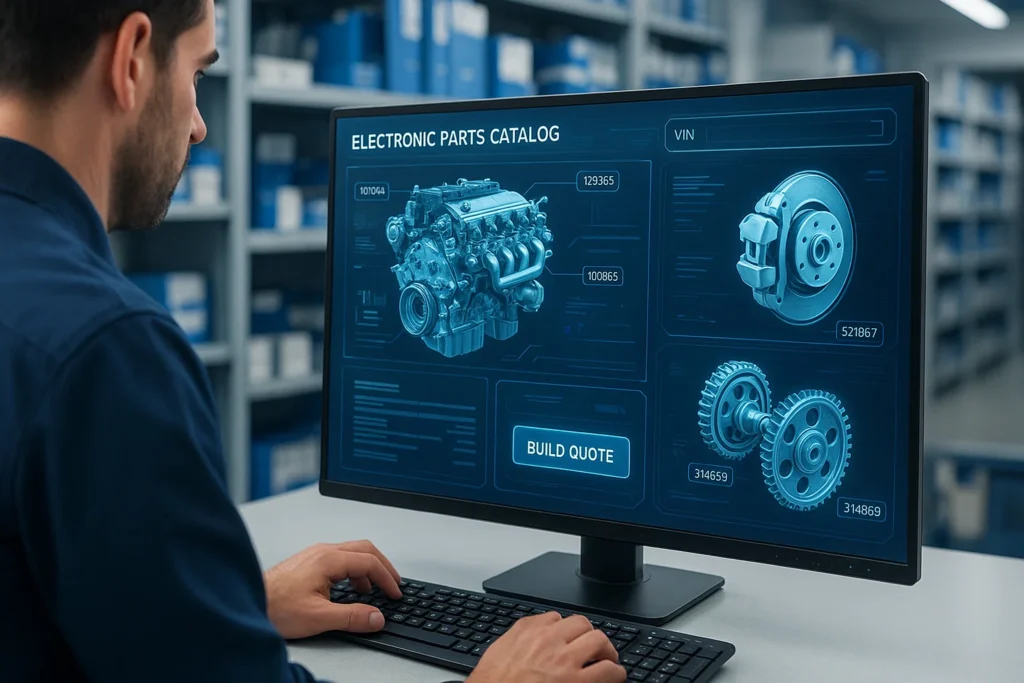
In today’s highly competitive automobile, industrial and machinery industries, the accuracy of identification of parts is essential. It doesn’t matter if you’re a dealership, repair facility, or distributor; creating an efficient parts quotation will save time, cash, and avoid costly mistakes. The Electronic Parts Catalogue (EPC) plays a pivotal role in achieving this accuracy.
This article offers a comprehensive guide to building a parts quote using EPC that covers the entire process, starting with VIN search to the final quote generation. Learn how to use EPC best practices and answer frequently asked questions that will assist your workshop or business to get the most benefit from EPC systems.
What is an EPC (Electronic Parts Catalog)?
The Electronic Parts Catalogue (EPC) is a tool that uses digital technology to help users recognise the location, identify, and provide parts for certain automobiles or models of machinery. EPCs are extensively utilised by car producers, parts suppliers and workshops to guarantee accurate parts identification and speedier customer service.
Key Functions of an EPC:
- VIN-based identification of parts for exact matching.
- Diagrams with illustrations and expanded views for confirmation by visuals.
- OEM part numbers for standardised referencing.
- Prices and details on availability to make it easier to prepare a quote.
- Integration with DMS or ERP systems to provide seamless order management.
Some of the most well-known EPC systems are Toyota EPC, Ford Microcat, Hyundai Mobis, Caterpillar SIS, and Mercedes-Benz EPC.
Why Use EPC for Building Parts Quotes?
Making a quote by hand is time-consuming and error-prone. The use of an EPC makes the whole process easier:
- Accuracy: EPCs eliminate guesswork by connecting each component to the specific number of VINs or models.
- Effectiveness: Search filters and diagrams help you find the exact parts.
- Professional Quotes: The EPC system can generate detailed quotes automatically that include descriptions of parts as well as prices and quantities.
- The Trust of the Customer: The accuracy of quotes can build trust and avoid disputes.
- Integration: EPCs can sync with software for managing inventory and billing to automate the availability of parts and cost updates.
Step-by-Step Guide to Building a Parts Quote Using EPC
Step 1: Log in to the EPC System
Begin by logging in to your EPC platform using your authorised credentials. Based on the model, it could be a web-based platform (like Toyota EPC Online) or a desktop-based application (like Nissan Fast).
Check that your access level permits the generation of quotations and pricing.
Step 2: Enter the vehicle Identification Number (VIN)
The VIN is an individual 17-character number for each vehicle. When you enter the VIN, it will narrow the search results to the specific make, model year, and configuration.
The benefits of VIN Search:
- Removes any unnecessary parts.
- It ensures compatibility with models specific to regions.
- Reduces returns caused by parts that do not match.
If VIN isn’t available, you can search by hand using the model, engine or chassis numbers; however, the accuracy could be less.
Step 3: Browse through the Catalogue Sections
After VIN decoding, the EPC shows the car’s structure broken down into major categories, for example:
- Transmission and Engine
- Suspension and Steering
- Electrical and Electronics
- Components of the Body and Interior
- Brakes and the Fuel System
Each section has an exploded diagram that shows how the components are connected. By clicking on an element, you can see the details of the part, such as its numbers, descriptions, and notes.
Step 4: Select the Parts to be Quoted
Look through diagrams or parts lists and add the needed parts to your list for the Quote. The majority of EPC systems come with the “Add to Quote” or “Add to Cart” button beside every item.
Pro Tips: Double-check part supersessions or replacements. EPCs typically display notes if a brand-new one has replaced an older part number.
Step 5: Review Prices and the Availability
Once you’ve made sure to select all components, after that, make sure to check for:
- The price list or price of the dealer is dependent on the access level you have.
- Stock availability occurs when it is linked to an inventory management system.
- Coupons and markups for quotes from customers.
If it is integrated into your ERP, or DMS When integrated with your ERP or DMS EPC can retrieve real-time prices and adjust your totals automatically.
Step 6: Create the Quote
When you have completed your checklist:
- Select “Generate Quote” or “Export Quote”.
- Check all the details -the part number, the quantity, the price and the notes.
- Add shipping costs or taxes. If applicable, add taxes and shipping costs.
- Export the Quote as a PDF document or an Excel document.
Many EPC systems let you add your company’s logo as well as contact information to create a professional-looking presentation.
Step 7: Print or send the Quote
Then take the time to make sure to share the Quote with your customer or the internal team:
- Send emails directly through the EPC interface.
- Printing for physical records.
- Make a backup copy of this within your ERP or CRM to be used for future follow-up.
This process ensures the smooth transition from quotation to the confirmation of orders and invoicing.
Best Practices for EPC-Based Parts Quoting
- Always verify the VIN: Do not rely solely on the visual inspection.
- Check for new part numbers: EPCs regularly update the number of parts that have been superseded.
- Use images within quote marks: It helps customers find the parts easily.
- Cross-Check with Bulletins of Service: Some components may have updated specifications.
- Update your Pricing Database: Make sure that your customers’ quotes are accurate. Quotations.
- Utilise EPC Integration: Sync with inventory or billing software to reduce time.
Common Mistakes to Avoid
- Utilising vehicle models that are generic instead of the VIN search.
- Notes on parts that are not considered or region-specific variations.
- Inability to update discontinued or superseded components.
- Do not verify the part number and the fitment prior to giving a quotation.
By avoiding these mistakes, you can ensure satisfaction for customers as well as operational efficiency.
Benefits of Using EPC in Workshops and Dealerships
| Feature | Benefit |
|---|---|
| VIN Decoding | Ensures perfect part matching |
| Visual Diagrams | Simplifies identification |
| Quote Automation | Reduces human error |
| Pricing Integration | Real-time updates |
| Professional Output | Customer confidence |
| Supersession Alerts | Avoids obsolete parts |
Best Practices for Effective EPC Quoting
| EPC System | Best For | Key Features |
|---|---|---|
| Toyota EPC | Automotive Dealers | VIN lookup, global coverage, price linking |
| CAT SIS EPC | Heavy Equipment | 3D diagrams, real-time updates |
| Volvo Impact EPC | Trucks & Buses | Integrated repair info and service manuals |
| Hyundai Microcat EPC | Multi-brand dealers | Multi-lingual, user-friendly UI |
| Cummins QuickServe Online | Engines | Part interchangeability and service history |
Common Challenges and How to Overcome Them
| Challenge | Solution |
|---|---|
| Outdated data or pricing | Regular system updates and OEM synchronization |
| Part supersession confusion | Use EPC’s supersession tracking tool |
| Internet connectivity issues | Download offline EPC versions if available |
| User training gaps | Conduct quarterly training sessions |
| Integration issues with ERP | Use API-based EPC systems for seamless syncing |
Future of Parts Quoting with EPC Systems
EPCs are rapidly evolving thanks to AI and the cloud. The next-generation EPCs can:
- Find out what parts are most frequently ordered from the service history.
- Integration with ordering websites to provide real-time purchasing.
- Create interactive 3D diagrams to aid in greater clarity.
- Mobile accessibility is essential for mobile users providing quotes.
These advances create EPCs’ essential tools in modern industrial and automotive operations.
Final Thoughts
Making a quote for parts with the Electronic Parts Catalogue (EPC) transforms a manual procedure into a more efficient, precise and professional process. From VIN search through to the final quote generation, EPCs reduce guesswork and increase the customer experience.
Through mastering EPC utilisation and implementing the integration tools, your business can provide quicker and more reliable quotes, increasing both efficiency and profits.
FAQS on Building a Parts Quote using EPC
1. What is the main advantage of making use of EPC to quote parts?
The most important benefit is that it’s accurate. EPC assures that the chosen parts match the car’s VIN specifications.
2. Can I make use of EPC using a non-VIN?
Yes, but it’s not as precise. You can search by year, model and engine type. However, mismatches can happen.
3. Do EPCs display prices in real-time?
Certain EPCs are integrated into the dealer management system, displaying live prices, whereas others require manual input of prices.
4. Can I export quotations using EPC into Excel as well?
Yes. Modern EPCs allow export in multiple formats, making it easy to print and share.
5. Are EPCs only available to dealerships?
No. Independent workshops, distributors, parts, and workshop retailers can also utilise EPCs for ordering and quoting.
6. What is the frequency at which EPC databases are regularly updated?
Manufacturers usually update EPC databases regularly, either monthly or quarterly, to add new parts and supersessions.
7. Is training required for using an EPC?
A basic training program is suggested for navigating Diagrams, decoding VIN and quotation functions with ease.
8. Are EPCs integrated into my inventory program?
Yes. A lot of EPCs can be integrated with ERP or CRM software for automatic data sync.