
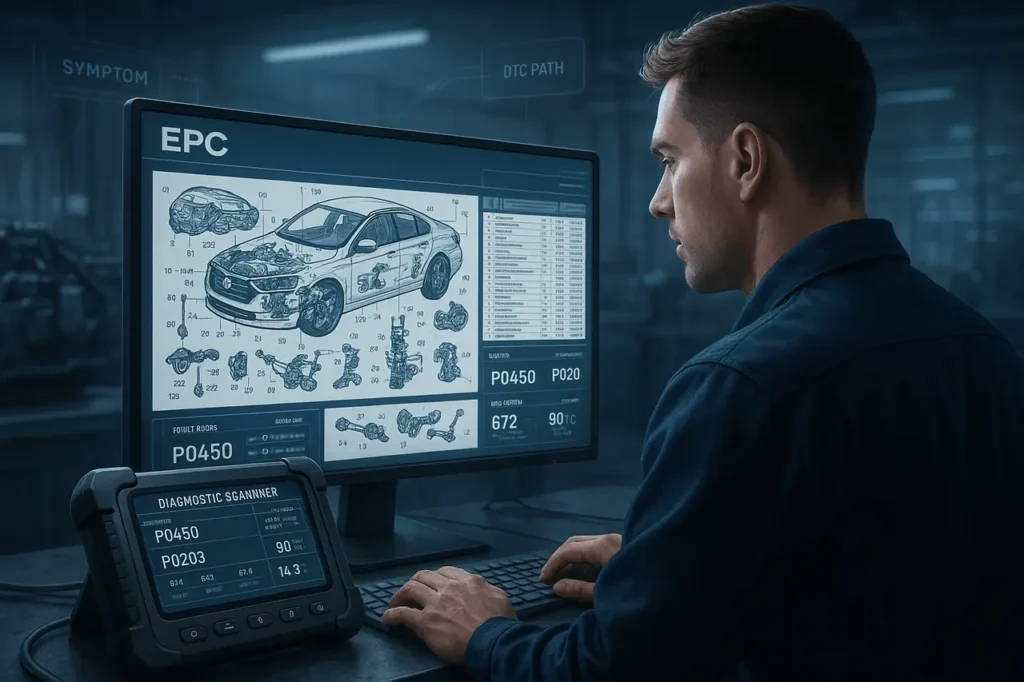
In the fast-paced world of automotive and heavy equipment repair, accuracy and efficiency are paramount. Technicians often face the challenge of diagnosing complex issues quickly while ensuring the correct parts are sourced without delay. Enter the Electronic Parts Catalogue (EPC), a digital powerhouse that streamlines parts identification. But how does searching by symptoms or fault codes elevate this process?
This guide explores searching by symptoms or fault codes in EPC, the intricacies of symptom- and fault-code-based searches in EPC systems, drawing on industry-standard practices to help you reduce downtime, minimise errors, and optimise workflows. Whether you’re working on a passenger vehicle or a construction machine, mastering these techniques can transform your repair strategy.
What is an EPC, and what is it not?
An Electronic Parts Catalogue (EPC) is a digitally structured database that contains OEM parts, illustrated (exploded diagrams), part numbers, compatibility (VIN-specific), and order information. Modern EPCs accelerate part identification and reduce ordering errors. They also integrate with dealer and inventory systems. They’re designed to ensure correct identification and not to diagnose faults on their own.
Why fault codes (DTCs) are helpful — but incomplete?
Diagnostic Trouble Codes (DTCs) are standardised or manufacturer-specific codes generated by control modules. The most common OBD-II DTC is five characters (for instance, P0302), which indicates an issue or a system area (misfire in cylinder 2) and is not always the specific failure of the component. A proper interpretation of the code requires freeze-frame data, live sensor readings, and a thorough understanding of the vehicle’s wiring and logic. Take the DTC as a diagnostic signal, not as a quick shopping list.
Understanding EPC and Its Role in Modern Diagnostics
An Electronic Parts Catalogue is a comprehensive digital database of vehicle or equipment components, complete with exploded diagrams, part numbers, specifications, and ordering details. Unlike traditional paper catalogues, EPCs are interactive, allowing searches by vehicle identification number (VIN), model year, engine type, or even special equipment codes. Major OEMs like Mercedes-Benz, Caterpillar, and John Deere provide proprietary EPCs, while aftermarket solutions from providers like ALLDATA and Mitchell1 integrate EPC functionality with broader service information.
The true power of EPC lies in its integration with diagnostic tools. Modern vehicles and machinery generate Diagnostic Trouble Codes (DTCs), alphanumeric identifiers like P0300 for a random misfire, via onboard computers. Symptoms, on the other hand, are observable issues such as “engine hesitation” or “hydraulic leak under load.” By linking these to EPC searches, technicians can bypass generic lookups and zero in on probable causes and required parts. This approach, often called “strategy-based diagnostics,” ensures repairs are targeted and cost-effective.
In automotive applications, EPCs such as Mercedes-Benz’s WIS/EPC suite or Volkswagen’s ETKA enable VIN-driven navigation to subsystem diagrams. For heavy equipment, Caterpillar’s Service Information System (SIS) combines troubleshooting trees with parts catalogues. The key? Seamless transitions from code or symptom input to parts procurement.
The Mechanics of Searching by Fault Codes in EPC
Fault codes, or DTCs, serve as the starting point for precise diagnostics. Retrieved via OBD-II scanners in cars or J1939 tools in trucks and equipment, these codes pinpoint electronic or mechanical failures. Once obtained, integrating them into an EPC search follows a structured process:
- Code Retrieval and Interpretation: Use a scan tool to pull active and pending codes. For instance, a P0420 code (catalyst system efficiency below threshold) indicates exhaust-related issues. Cross-reference the code in the EPC’s diagnostic module or linked service manual for probable causes, such as a faulty oxygen sensor.
- Direct Code Search in Integrated Systems: Advanced platforms excel here. Mitchell1’s 1Search Plus, for example, lets technicians enter a DTC directly into a unified search bar. The system uses advanced taxonomy to interpret variations, recognising “alternator” as “generator” in GM vehicles, and delivers a card-based layout with OEM repair steps, connector views, and parts lists. This includes Top Ten Lists of commonly replaced components for that code, drawn from real-world repair data. Similarly, ALLDATA’s Find-A-Fix feature ties DTCs to symptoms, verified fixes, and probable causes. Searching “P0171 (system too lean)” pulls up TSBs, wiring diagrams, and a curated parts catalogue with OEM numbers for fuel injectors or mass airflow sensors.
- OEM-Specific EPC Navigation: In Mercedes EPC, while direct DTC entry isn’t standard, technicians input the VIN to access the Electronic Workshop Information System (WIS), where fault codes link to labour guides and part footnotes. For a code like 0122 (throttle position sensor), the system highlights affected components in the engine diagram, revealing part numbers with supersession notes for updates.
- In heavy equipment, Caterpillar SIS: It begins with serial-number entry for model-specific data. Fault code lookup via the Cat Central app translates codes like E01 (engine derate) into troubleshooting paths that reference SIS parts diagrams. John Deere’s EPC handles transmission-specific codes (e.g., EPC 000158.04 for low voltage), directing users to controller or wiring harness parts.
This fault code-to-parts pipeline reduces guesswork. A study by the Society of Collision Repair Specialists (SCRS) emphasises the use of OEM EPCs alongside diagnostics to verify vehicle-specific variants, thereby avoiding costly mismatches.
Leveraging Symptom-Based Searches for Proactive Repairs
Not all issues trigger codes; intermittent problems like “rough idle” or “overheating under load” rely on symptom descriptions. Symptom-driven searches in EPCs bridge this gap by mimicking natural technician queries.
In ALLDATA, symptom search organises Technical Service Bulletins (TSBs) and repair articles by descriptors. Entering “brake pulsation” yields probable causes (warped rotors), linked labour times, and parts catalogues with friction material specs. This is especially useful for collision repair, where Strategy-Based Diagnosis (SBD) from I-CAR guides users from symptom to component replacement.
Mitchell1’s 1Search Plus shines with its natural language processing. A query like “AC not cooling” retrieves vehicle specs, test procedures, and parts for expansion valves or compressors, incorporating SureTrack data from verified fixes. For heavy equipment, symptom searches in Deere’s systems focus on operational clues—e.g., “loader arm drift” leads to hydraulic cylinder seals in the EPC.
Benefits include faster triage: Technicians spend less time navigating menus and more on repairs. In fleet operations, this cuts downtime by up to 30%, as predictive maintenance flags recurring symptoms before failures escalate.
Benefits and Best Practices for EPC Searches
Adopting symptom and fault code searches in EPC yields measurable gains:
- Enhanced Accuracy: Vehicle-specific data prevents ordering incompatible parts, reducing returns by 20-25% per industry benchmarks.
- Time Savings: Integrated systems like 1Search Plus consolidate info, shaving hours off estimates.
- Cost Control: Early identification via codes avoids cascading failures, such as a misdiagnosed sensor leading to engine damage.
- Compliance and Safety: OEM-linked data ensures repairs meet warranty standards.
Best practices include:
- Always start with VIN/serial for context.
- Combine tools: Scan for codes, then cross-reference in EPC.
- Update software regularly, EPCs evolve with recalls and revisions.
- Train on platform-specific features, like ALLDATA’s confidence levels for fixes.
In heavy equipment, where uptime is revenue-critical, Caterpillar’s SIS2GO app extends mobile access, allowing field techs to search codes offline and order parts on-site.
Common pitfalls and how to avoid them
- Ordering on Code Name Alone: A DTC like “oxygen sensor fault” can be caused by wiring, the heater circuit, a connector, exhaust leaks, or the sensor itself. Always confirm with data.
- Ignoring VIN-specific Details: Engines, transmissions, and trim options change part numbers; VIN filtering eliminates many errors.
- Skipping Service Bulletins (TSBs): TSBs often list known failures and corrected part numbers; they can save time and reduce return trips.
Searching by symptoms or fault codes in EPC: Tools that make this faster
- Dealer diagnostic suites (e.g., ODIS/ODIS/ TechStream/VIDA/ISTA) link deep diagnostic data to repair steps and, in some cases, to parts lists. When available, they reduce the time required to map the code to the replacement part.
- Third-party EPC aggregators (7zap, 7-zap/7zap-type services, aftermarket parts platforms) offer unified VIN search and diagrams for multiple brands. They can speed identification for mixed fleets.
Real-World Examples Across Industries
Consider a VW Jetta with EPC light (throttle fault, code P0122). A technician scans the code, enters it into ETKA EPC via ALLDATA integration, and identifies the throttle body assembly—part A2C34567890—with installation torque specs.
For a Caterpillar excavator reporting E03 (fuel pressure low), SIS lookup reveals injector issues, pulling diagrams for nozzle replacement kits from the parts store.
These examples illustrate how EPC searches turn diagnostics into actionable orders, fostering efficiency in shops from dealerships to construction yards.
Final Thoughts
Searching by symptoms or fault codes in EPC isn’t just a feature; it’s a paradigm shift toward intelligent, data-driven repairs. By harnessing tools like Mitchell1, ALLDATA, and OEM systems, technicians can deliver precise, swift solutions that keep vehicles and equipment running. As technology advances with AI-enhanced queries, staying proficient in these methods will define top performers in the field. Invest in training and robust software to unlock EPC’s full potential today.
FAQs
1. What is an Electronic Parts Catalog (EPC)?
An EPC is a digital database for identifying, viewing, and ordering vehicle or equipment parts, often integrated with service manuals for comprehensive repair support.
2. How do I search for parts using a fault code in an EPC?
Retrieve the DTC with a scan tool, then enter it into an integrated system such as ALLDATA Find-A-Fix or Mitchell1 1Search Plus. This generates repair paths with linked part numbers and diagrams.
3. Can I use symptoms instead of codes for EPC searches?
Yes, platforms like ALLDATA and Mitchell1 support natural-language symptom entries (e.g., “engine knock”), pulling relevant TSBs, causes, and parts catalogues.
4. What’s the difference between automotive and heavy equipment EPC searches?
Automotive EPCs (e.g., Mercedes WIS) emphasise OBD-II codes and VINs for cars/trucks. Heavy equipment systems (e.g., Cat SIS) focus on machine serial numbers and J1939 codes for excavators.
5. Are free EPC tools available for fault code searches?
OEM sites offer limited complimentary access (e.g., Cat Parts Store by serial), but full diagnostic integration requires subscriptions like ALLDATA ($20-30/month) for robust symptom/code features.
6. How accurate are symptom-based searches in reducing repair errors?
They improve accuracy by 20-30% by leveraging verified fix data, minimising misdiagnosis and part mismatches.
Also Read –
Using EPC to Estimate Labour and Repair Time: A Complete Guide (2025)
VIN Lookup in EPC: The Smart Way to Identify the Right Vehicle Parts