
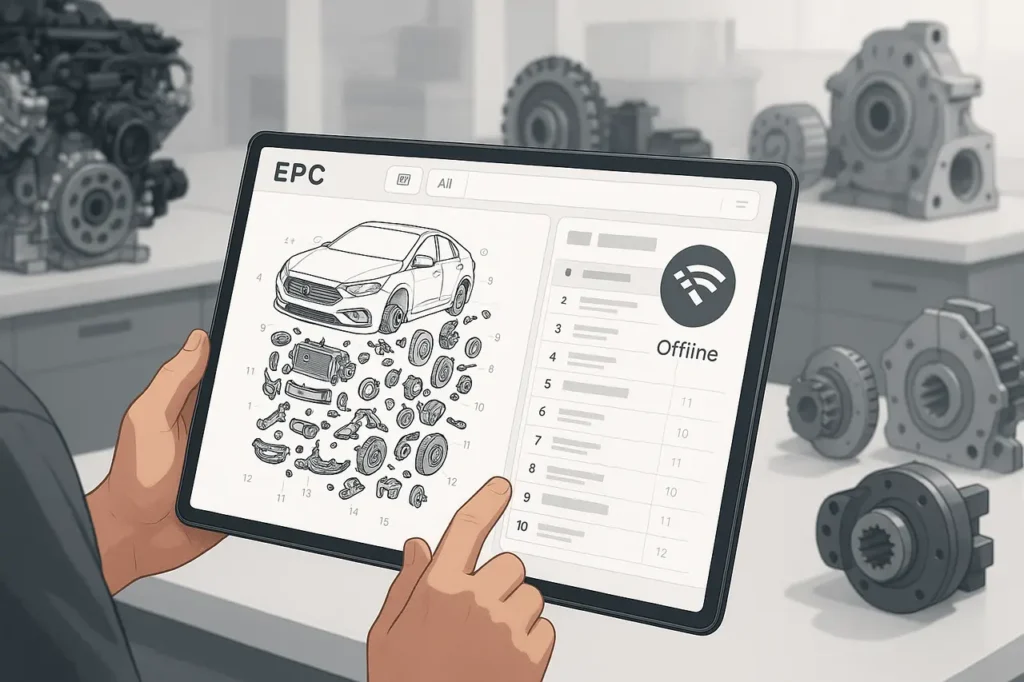
Electronic Parts Catalogues (EPCs) are now the core of modern-day parts services and identification. From automobile dealerships and heavy workshop workshops to equipment and field-service teams working in remote areas, EPCs enable accurate part searches, exploded diagrams, and fitment verification within minutes. However, continuous internet connectivity isn’t always possible. Network outages, low-bandwidth settings, secured facilities, and mobile service issues can all affect online EPC access.
This is when EPC offline mode becomes vitally essential. By allowing users to access crucial catalogue information even without an internet connection, offline EPCs ensure continuous operation, reduce downtime, and guarantee accurate part selection. Understanding how offline EPCs operate, their limitations, and how to use them effectively is vital for any company that relies on continuous information about parts.
Why offline mode is essential for EPCs?
Electronic Parts Catalogues (EPCs) are crucial for identifying parts orders and service workflows that span dealers, manufacturers, and field team members. In a variety of real-world situations, remote workshop sites, job sites that have poor coverage on cell phones and secured networks within OEM facilities, or mobile service vehicles, an efficient offline EPC helps avoid delays, decrease mistakes, and ensure that repairs are completed. EPCs with offline capabilities reduce equipment downtime and improve parts-order accuracy by ensuring data is available even if connectivity is lost.
What is “Offline Mode” actually?
Offline EPC mode usually refers to a locally installed, regularly updated copy of catalog information (parts lists, part numbers, exploded diagrams, fitment rules, prices, and occasionally ordering links) that runs without a continuous internet connection. The implementations vary.
Certain vendors offer the full local client as well as a database bundle (an “offline installer”), while others provide specific downloads (regions, models, date ranges) or permit cached queries for limited offline usage.
EPC Offline Mode: Typical benefits are concrete and measurable.
- The ability to look up information continuously means technicians can locate parts and access diagrams without waiting for network availability. This improves diagnostics and minimizes downtime for vehicles or equipment.
- A lower number of ordering errors when using a validated local dataset reduces the risk of human error compared to relying on memory or manual lookups.
- Latency and performance of local searches, as well as image rendering, are more efficient than web searches in low-bandwidth or congested areas.
- Security or regulatory compliance. Specific workshops are within secure (air-gapped) regions where internet access is restricted. Offline EPCs conform to these restrictions.
What offline EPCs can be distributed?
Vendors make use of some or all of the patterns below:
- Complete offline installation package, an archive that is downloadable or an ISO that you install on your workstation (common for extensive OEM catalogues). Expect large downloads and periodic updates to the full version.
- Selectively download offline data and choose specific models, years, or locations to save space and speed up sync times.
- Local cache/hybrid mode, the app stores frequently visited pages for offline use, using less disk space but with limited coverage.
Implementation Checklist: What will you need?
- Hardware and Storage: EPC image and offline dumps can reach gigabytes; ensure speedy SSDs and enough capacity (often 10 to 100 GB, depending on the vendor and the number of models you have).
- Installation Media and Licensing: Check vendor licensing to confirm offline versions (some OEMs restrict offline versions or place limits on the number of Windows for updates). Follow the vendor’s installation guides to avoid activation issues.
- Update Plan: Schedule regular synchronizations (daily/weekly/monthly depending on parts churn). Use offline data as controlled releases: keep versions and changelogs.
- Backup and Rollback: Keep backups of your previous data sets so you can roll back an update if it is faulty.
- Access Control and Security: Safeguard local catalogs with measures such as disk encryption, role-based access controls, and logs showing who has installed or updated the data.
EPC Offline Mode: Best practices for synchronization
Synchronization is the primary operational task for offline EPCs. Follow these steps:
- Delta updates Whenever Possible: instead of re-downloading entire catalogs, use incremental updates to reduce bandwidth and update speeds. Many modern EPC backends support change sets rather than full images.
- Controlled Update Windows: It pushes updates at times when there is no need, and validates updates with a staging device first. Maintain a signed manifest and checksums to ensure authenticity.
- Rules for Conflict Resolution: if local annotations or dealer-specific pricing exist, specify whether the sync process is one-way (server-to-client) or bidirectional, and the method for resolving conflicts.
- Auditing and Logs: Record sync timestamps, dataset versions, and operator IDs to ensure traceability.
EPC Offline Mode: Common problems and troubleshooting
- Downloads that are Corrupt or Incomplete: Large archives may be damaged during the download process; verify the checksums, then re-run any incomplete downloads.
- Misorders Caused by Out-of-Date Information: If offline copies are not compatible with the live catalog for critical service bulletins or announcements, increase the sync frequency for the affected model lines.
- Storage Exhaustion: track disk usage and automate pruning models for years old than a specified threshold, if necessary.
EPC Offline Mode: Notes on Licensing and Legal
A few OEM Electronic Parts Catalogues (EPCs) have strict controls over how their data is used, stored, distributed, and accessed, particularly with regard to offline use. Although some manufacturers offer offline installers or local data synchronization, others restrict access to web-based platforms or limit how long offline copies can be kept.
Before sharing, creating, or using offline EPC datasets, it is crucial to read the licensing terms, end-user agreements, and any dealer or reseller contracts associated with the EPC. Any unauthorised copying, distribution, or long-term storage of offline data can violate intellectual property rights and contractual agreements with an OEM.
Furthermore, organizations should ensure that offline EPC access is restricted to authorized users and devices, and that appropriate access controls and audit trails are in place. Compliance not only helps protect against legal risks but also enables continuous access to EPC updates, Technical bulletins, technical updates, and manufacturer assistance.
EPC Offline Mode: When does it make less sense?
If your company relies on real-time visibility into inventory across multiple warehouses, EPC Integration with real-time pricing and inventory availability, as well as with ERP and DMS software, is crucial. In the absence of a connection, an EPC cannot reflect dynamic changes in stock, supersessions, or prices, which increases the risk of misplaced or delayed orders.
This issue is significant for large-volume distributors of parts and multi-location dealerships, where inventory turnover can be rapid. In these environments, hybrid EPC models, coupled with offline parts identification and online inventory and order validation, provide the best balance of accuracy and reliability.
Final Thoughts
The use of an EPC offline is more than a mere convenience, but an effective way to protect against connectivity issues that can stop the service and cause delays in repairs. If implemented properly offline EPCs provide quick and reliable access to data on parts and help technicians on the job, and aid businesses in maintaining efficiency even under difficult network conditions.
But offline EPCs require a disciplined approach to management. Regular synchronization, effective storage planning, strict compliance with licensing and robust security measures are essential to keep offline data up-to-date and in compliance. Companies should consider offline EPCs as an managed system, not an isolated download, with explicit update schedules and verification processes.
For businesses operating in remote, secure, or bandwidth-constrained environments, EPC offline mode remains an indispensable capability. When it is paired with judicious updates or hybrid online-offline workflows, it offers the most reliable balance between security efficiency, accuracy, and efficiency.
Frequently Asked Questions
1. How big is the EPC offline download? EPC download?
The sizes vary by vendor and coverage. Small regional databases could be 5-10 GB or less; complete multi-year OEM catalogs with images may exceed 10 GB. Always check vendor-published requirements.
2. What is the best frequency to synchronize my offline EPC?
This is contingent on parts churn and the frequency of service bulletins. For automotive lines that are moving quickly and other lines, weekly or daily incremental syncs could be appropriate; however, for heavy equipment, with little change, monthly syncs could be sufficient. Make sure you are planning for your specific business needs.
3. Can I access the offline EPC on mobile devices?
Yes, Many EPC suppliers offer mobile and tablet clients with offline data. Make sure the device you are using can store enough data, and that the client is compatible with your selected sync model.
4. What are the implications when you store EPCs locally?
Local datasets can reveal price lists and proprietary parts if devices are lost or stolen. Use disk encryption, role-based access controls, and centralized logging to manage risk.
5. Is an offline EPC legally valid for every OEM?
Not necessarily. Certain OEMs restrict or stop offline versions, while others require a specific license. Check the terms before installing or distributing offline copies.
6. Do I need to choose either a full offline or a hybrid cache?
Choose the full offline option when you require extensive coverage that is not network-dependent (e.g., field service and secure websites). Select a hybrid if you need live inventory or ERP order integration. In most cases, a hybrid solution is the most efficient of both.
Also Read –
Multi Brand EPC: Using One EPC Across Multiple Car Brands (2025)
How EPC Model Year Updates Improve Accuracy & Parts Management