
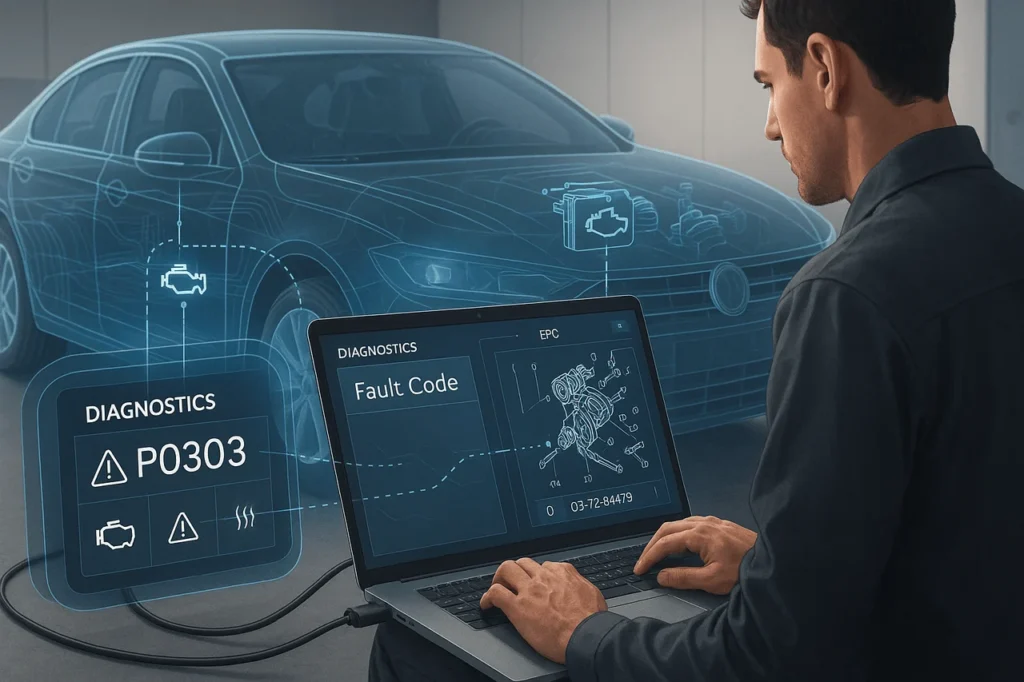
Modern vehicles produce fault codes to identify problems with their electronic systems. However, these codes aren’t always able to determine the exact component that requires replacement. The difference between diagnosis and part choice is where repair issues are often averted. Assigning a fault code to the correct component using an Electronic Parts Catalogue (EPC) can bridge that divide by combining diagnostic information with precise part details.
When used correctly, in conjunction with OEM workshop manuals and live diagnostic tools such as an EPC, this helps technicians move from a fault to a proven, vehicle-specific component with minimal guesswork. Knowing this process is crucial for precise repairs, reduced downtime, and avoiding unnecessary part replacements.
In this article, I will explain how to map a fault code to a part via EPC (Electronic Parts Catalogue)using a structured, real-world diagnostic approach.
Quick Definitions (So we’re aligned)
- DTC / fault code is an alphanumeric Diagnostic Trouble Code generated by the vehicle’s control units (OBD-II, J1939/SPN-FMI for heavies, or manufacturer-specific codes). It is a sign of a fault or an abnormality.
- EPC (Electronic Parts Catalogue) is an aftermarket or OEM digital parts database that includes the parts shown in the diagram, their numbers, fitment/effectiveness information, and order details. EPCs differ by manufacturer and typically include VIN searches and schematics.
7-Step Process to convert a Fault Code to the Right Component
1. Record the error code as well as the module context
Read codes using an efficient scanner tool, which shows:
- Full DTC (e.g., P0261),
- The module that sets the module (ECM, BCM, ABS, etc. ),
- freeze-frame data,
- Live PIDs as well as any other details of SPN/FMI (for J1939 with heavy-duty requirements).
- The reporting module’s operating conditions can narrow the search considerably. (If the report is from a previous time, be sure to note the date when it happened.)
2. How to interpret the code manufacturer vs. manufacturer
Decipher the code structure: standardized OBD-II codes point to the system area (engine/transmission/chassis), while manufacturer codes and J1939 SPN/FMI may provide more granular circuit-level information. Use a DTC reference or OEM diagnostic manual to translate the code into likely circuits/components. The generic codes and diagnostic aids are readily available. OEM manuals contain the official definition and diagnostics.
3. Make sure the vehicle’s identity is verified and its effectiveness
You can enter your VIN (or machine serial number) into the EPC to load the precise car’s configuration (engine market, engine, options, and build date). Part numbers and parts alter with effectivity codes. An EPC will identify parts compatible with the VIN and avoid replacements that look correct but aren’t compatible.
4. You can search the EPC using the symptom, code, or module
Modern EPCs allow you to search using:
- DTC as well as codes index (if the EPC includes a DTC index-to-part),
- module/group/subsystem (e.g., fuel injector group),
- Symptom/description (e.g., “fuel injector circuit open”).
- If the EPC has a DTC lookup, use it. You will typically see the fault-tracing flowchart, the affected parts, and their part numbers. If not, go to the module diagram and match the EPC component IDs to the diagnostic results.
5. Consult the workshop manual as well as the flowcharts of fault-tracing
EPCs contain information about parts, but they do not replace the step-by-step diagnostic procedures found in service manuals. The majority of OEM workshop manuals include a fault-tracing chart that lists the items to check (wiring connectors, wiring sensors, actuators, etc.) before replacing a component. Use the test method recommended by the manufacturer (resistance tests, supply and ground voltages, and real-time information) and only choose the EPC component if the tests indicate a failing component. Workshop manuals for OEM workshops also highlight the most common root causes and suggest software updates.
6. Check part number, supersessions, and service bulletins
When you have found a potential part within the EPC Verify:
- The exact component number(s) in the build date/VIN,
- Whether a supersession (replaced/revised portion) is present,
- Any technical service bulletins (TSBs) and recalls that alter the repair procedure.
- EPC diagrams, notes on effectiveness, and TSB sections help avoid ordering items that are no longer in use.
7. Check before replacing and confirm the repair
Only replace after the test proves the component is in error. After installation, remove the codes, run the diagnostic procedure, and ensure that the issue doesn’t recur and that the freeze-frame or live data shows regular operation. This will end the loop and show that you’ve chosen the right component.
Map a fault code to a part via EPC: Practical advice and common mistakes
- Be sure to check the connector and wiring. Many “failed sensors” are actually due to connector or harness problems. EPC exploded views can help you identify the connector’s part numbers and routing.
- Be wary of cross-references with generic names. Cross-reference lists from aftermarket vendors can be incorrect. Always verify fitment using the VINs within an OEM EPC if feasible.
- Use live data and freeze frames with ferocious intensity. They can often indicate periodic situations that an EPC can’t reveal on its own.
- Note all the information you can. Take screenshots of the EPC diagram and the DTC details. This will aid the warranty claim process and support future troubleshooting.
When EPCs have a built-in DTC map, but also even when they don’t
Certain OEM EPCs, as well as dealer software programs, incorporate DTC Indexes and Diagnostic Links directly into the parts view (quick map from codes – suspected components). Older or smaller EPCs might only display diagrams of parts and require cross-referencing to separate workshop manuals. If the EPC does not have DTC mapping, you can use your OEM Service manual, wiring schematics, and a trusted DTC database as a diagnostic bridge.
Example: Mapping a fuel injection circuit code
- Scanning: P0261 as reported by ECM, the freeze frame displays an idle misfire.
- Interpret: P0261 = fuel injector open circuit (example).
- VIN – EPC: select engine, fuel injection group.
- EPC Diagram: Locate the injector connector and its part number; verify the harness routing.
- Workshop Manual: Follow the resistance and power tests of your injector and driver.
- Tests: Confirm the presence of an open circuit in the harness. Repair the connector contact; do not replace the injector.
- Verify: clear code, re-test, fault gone.
(Example procedure mirrors the guidance available in OEM workshop manuals along with DTC reference.)
Final Thoughts
Affixing a fault to the part using EPC cannot be a simple solution; instead, it requires a planned workflow that integrates diagnostics, service information, and part intelligence. Trouble codes can be traced to systems or circuits; workshop manuals determine the cause, while the EPC ensures the part is compatible with the exact vehicle configuration. By skipping any of these steps, you risk being misdiagnosed and wasting money. When you consistently follow a systematic approach, reading the code, checking for errors, validating it with the service data, and verifying that the component is fitted correctly in the EPC, technicians and professionals can significantly improve the first-time fix rate and overall repair precision.
Frequently Asked Questions (FAQs)
1. Can I search for any DTC directly in each EPC?
No. Certain EPCs include DTC indexes and diagnostic links, but most only offer diagrams of the parts. You may need the manual for your OEM workshop or a separate DTC database to understand codes.
2. Should I replace a sensor immediately if a DTC points to it?
No. Follow the diagnosis flow chart, test the connections, verify the power/ground wiring, and test the component. Most malfunctions are software- or electrical-related, not related to the element itself.
3. What is the significance of the VIN when you search the EPC?
It is crucial. VIN-based effectiveness filtering prevents ordering incorrect revisions and ensures proper fit for the build date and options.
4. What happens if the EPC has a different part number for the exact component?
Examine the dates of effectivity and supersession notes on the EPC. If in doubt, consult your OEM parts desk or the dealer. Buying the wrong revision can be common.
5. Do aftermarket parts lists match DTCs to the correct parts?
They could be an initial step, but always confirm fitment and compatibility within the OEM EPC and abide by the manufacturer’s recommendations before replacing any components.
Also Read –
Searching by Symptoms or Fault Codes in EPC: A Complete Guide (2026)