
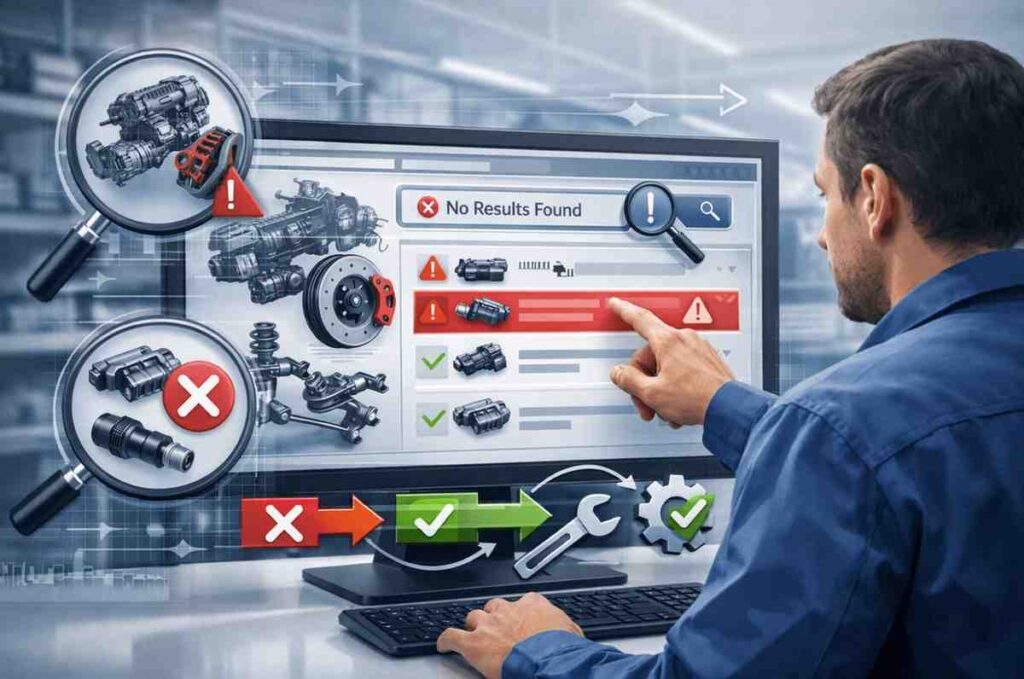
A reliable Electronic Parts Catalogue (EPC) is central to fast, accurate parts identification for service technicians, dealers and parts teams. When search results are poor, missing parts, irrelevant hits, wrong-fit recommendations, repair time, inventory accuracy and customer satisfaction all suffer. This guide explains Troubleshooting Poor Search Results in EPC, walks through the common causes, a step-by-step troubleshooting process, practical fixes, and best practices to restore and future-proof EPC search relevance.
What Is EPC (Electronic Parts Catalogue)?
The Electronic Parts Catalogue (EPC) is a digital software used by automobile dealerships, manufacturers, as well as service centres and distributors of parts to find, control and locate vehicle parts precisely. It replaces paper-based parts manuals by offering an interface that is searchable and database-driven, which allows users to locate the right parts in accordance with the vehicle’s and component details.
At its heart, EPCs manage OEM as well as aftermarket parts information by utilising defined attributes like the vehicle model, make, year, type of engine and transmission, body type, along with regional requirements. Modern EPC platforms also have the VIN lookup, which allows users to find parts that will match a specific vehicle’s configuration. This eliminates the need for guesswork and reduces the chance of acquiring the wrong parts.
An EPC typically contains:
- Exploded Parts Diagrams that visually illustrate how the components work together
- Supersessions and Part Numbers that show new or upgraded components
- Applicability and fitment rules, making sure that the parts fit the specific vehicle model
- Cross-reference and exchange data between aftermarket and OEM components
- Pricing availability, notes, and pricing depend on the integration level of the system.
By centralising this data, an EPC can be a crucial instrument for precise parts lookup and more efficient repairs, inventory management and compliance with manufacturers’ standards. If the EPC functions for searching are not performing well, the benefits of these functions are diminished, which makes the ability to search reliably vital to the efficiency of the Electronic Parts Catalogue system.
Why EPC searches fail?(the usual suspects)
1. Dirty or Incomplete Master Data: Inconsistent naming, duplicate SKUs, missing manufacturer cross-references and obsolete parts in the catalog are the single most significant cause of failed lookups. When fitment attributes (year, make, model, engine code) are missing or wrong, queries return no results or the bad parts.
2. Poor Fitment and VIN Integration: If VIN-to-fitment mapping isn’t up to date or the VIN lookup service is offline, the EPC can’t filter correctly by vehicle eligibility, producing false positives or empties.
3. Indexing/Search Configuration Problems: Broken indexing jobs, inappropriate stop-word lists, or field-level mappings that exclude part numbers from full-text indexes lead to silent failures; parts are in the database but invisible to the search engine.
4. UX and Query handling Issues: Users type partial PNs, use alternate manufacturer numbers, or enter natural language phrases. If the search engine only supports exact matching, it will miss these queries. Fuzzy matching, synonyms, and semantic layers help bridge the gap.
5. Lack of Cross-reference and Interchange Tables: OEM and aftermarket numbers must be cross-referenced; otherwise, equivalent parts won’t surface when users search with alternate identifiers. Legacy EPCs often lack robust interchange support.
Troubleshooting Poor Search Results in EPC: Quick, Structured Troubleshooting (do this first)
- Reproduce the Problem and Capture Examples: Collect 10–20 real failing queries (partial PNs, VINs, descriptions) and note expected vs actual results. Real examples are invaluable for debugging.
- Check system Health and Logs: Verify search service is running, indexing jobs succeeded recently, and there are no 500/timeout errors on VIN or fitment APIs. Look for recent schema changes.
- Run controlled Queries against the Index: Query by exact PN, manufacturer PN, and OEM interchange to see which fields return results. If exact PN returns nothing, but the database shows the part exists, it’s an indexing/mapping issue.
- Validate Fitment Data with a known VIN: Use a VIN that should return results and trace the filter pipeline to see where the match fails, VIN resolution, fitment table, or filter application.
- Check Synonyms, Stop Words and Analysers: Ensure the search analyser doesn’t strip meaningful tokens (e.g., “AA-123” becoming “123”), and that your stop-word list isn’t removing short but critical tokens.
Troubleshooting Poor Search Results in EPC: Fixes and Practical Improvements
Data fixes (the foundation)
- Master Data Clean-up: Deduplicate SKUs, standardise naming conventions, normalise units and attributes, and remove obsolete entries. Use automated tooling plus manual review for edge cases.
- Maintain a Central PIM: A Product Information Management (PIM) system prevents drift between data sources and supplies a single curated feed to the EPC.
Search-engine and indexing fixes
- Index the Right Fields: Make sure part numbers, alternate numbers, manufacturer codes, and common description phrases are included in both the searchable index and as exact-match keyword fields.
- Use Analysers that Preserve Technical Tokens: Configure tokenisers to keep hyphens, slashes and alpha-numeric sequences common in part numbers. Avoid overly aggressive stop-word removal.
Relevance & matching improvements
- Fuzzy + Semantic Matching: Combine fuzzy string matching for typos with a semantic layer (embeddings or synonym maps) for natural language queries (e.g., “wheel hub bearing” vs “hub assembly”). This reduces no-hit rates for imprecise queries.
- Synonym and Interchange Tables: Maintain up-to-date OEM ↔ aftermarket interchange tables and domain-specific synonyms (e.g., “headlamp” = “headlight”) so alternate terms return the same results.
UX and workflow fixes
- Guided Search and Autofill: Provide structured search (VIN, part number, vehicle selector) and typeahead suggestions showing matched fields and fitment to reduce ambiguous queries.
- Result sSignals and Feedback Loop: Show reasons why a part matches (fitment, exact PN, aftermarket match) and include “report a missing part” so users feed new cross-refs back into data governance.
Troubleshooting Poor Search Results in EPC: Monitoring, KPIs and ongoing governance
Track these metrics to detect and prevent regressions:
- No-hit rate (queries returning zero results) — drill down by query type (VIN, PN, keywords).
- Click-through rate on top results — low CTR indicates poor ranking.
- Time to fix reported missing parts — measures responsiveness of data team.
- Index refresh success rate and latency.
- Automate weekly data audits (duplicates, orphaned parts, new OEM updates) and schedule quarterly fitment reconciliations with suppliers.
My Final Thoughts
Poor EPC search results nearly always trace back to data quality, inadequate indexing or search configuration, and missing cross-references. Fixing search reliability requires a combined approach: clean and govern the data, configure the search engine to understand technical tokens and fuzzy queries, add VIN and fitment safeguards, and create a feedback loop from users into your data pipeline. With those elements in place, you’ll reduce no-hits, speed repairs, and lower returns, direct wins for service efficiency and revenue.
Frequently Asked Questions
1. My exact part number returns no results; what should I check first?
Check whether that exact part number is present in the index (not just the database). If it’s in the DB but not the index, re-run and inspect the last indexing job and field mappings.
2. Why do some users get different results for the same VIN?
Differences usually come from stale fitment caches, different user permissions or filters (region, aftermarket/OEM flags). Verify VIN resolution, cache TTLs and user role filters.
3. Should I use fuzzy search or semantic embeddings for an EPC?
Both. Fuzzy matching handles typos and small variations; semantic/embedding search helps with natural language and descriptive queries. A hybrid approach gives the best coverage.
4. How often should I reconcile interchange tables and OEM updates?
At minimum monthly for active SKUs; more frequently (weekly) if you operate in a high-turnover aftermarket or follow frequent manufacturer TSB/recall updates.
5. What quick tests can non-technical users run before contacting support?
Try searching by exact OEM PN, by vehicle selector (make/model/year), and by a short descriptive phrase. Note whether typeahead suggestions appear, and capture any sample VIN or PN to pass to support.
Also Read –