
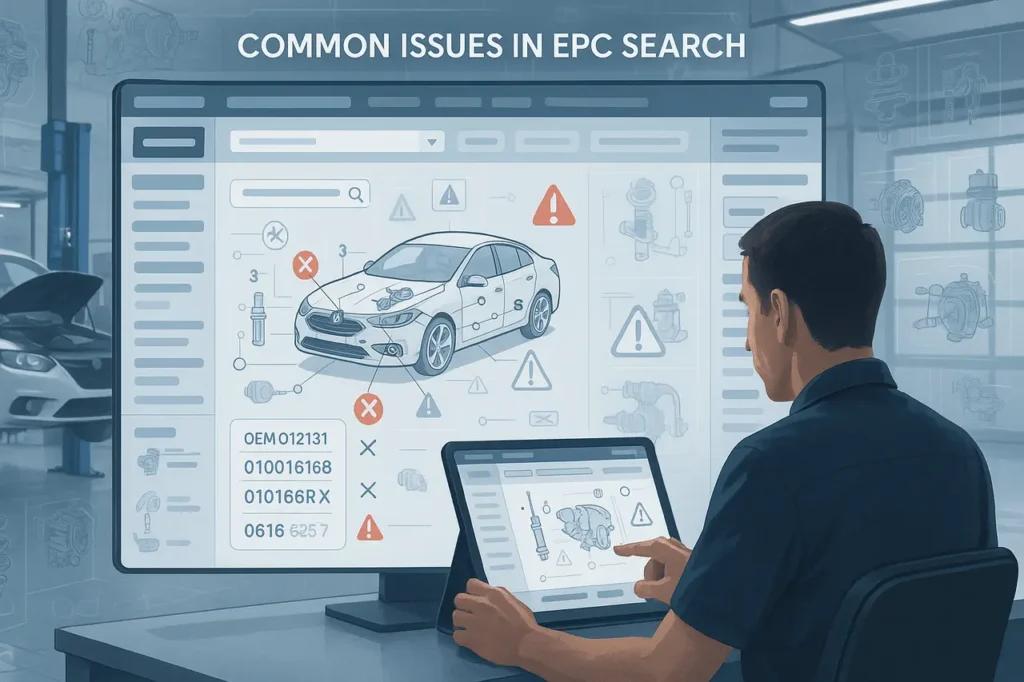
Electronic Parts Catalogues (EPCs) serve as the basis for efficient identification and ordering for dealers, OEMs, and repair shops. If the EPC search fails, workflows slow down, incorrect parts are ordered, and service times increase. This guide explains Common Issues in EPC Search, the most frequently encountered EPC search issues, why they occur, and the practical solutions you can use right now.
What is the reason EPC search is so important?
Modern EPC incorporates structured data about the part, including exploded diagrams, VIN decoding, and ordering links, to deliver the correct part to the right technician quickly. If any component of the stack fails, such as data indexing, UI and integrations, the entire process can be prone to errors and is slow. EPCs are designed to reduce mistakes and speed up service delivery, so maintaining a healthy search is crucial.
1. Results are not complete, or only partial results were returned.
Symptoms: Searches return no hits, and autocomplete suggests no items; however, a complete search returns nothing.
Causes common
- Index corruption of the search index or misconfiguration following upgrades. Enterprise EPCs depend on search indexes (full-text or enterprise search) that may fail after an upgrade.
- Client-side cache or stale locally stored files (desktop EPC clients).
- Query syntax differences (user types part alias, but index expects OEM number).
Fixes:
- Rebuild or rebuild your EPC search index as per the vendor’s procedure. For systems with packaged components, follow the steps provided by the vendor’s KB to update search indexes.
- Clear caches on client computers and desktop temp folders (for large clients).
- Improve query parsing by normalising input (strip punctuation marks, map the most commonly used synonyms) and include fuzzy matching to common typos.
2. Data that is out of date or no longer available for parts
Symptoms: Part numbers are listed in manuals but are not included in EPC, or, in the absence of images/diagrams, are not included.
Causes common
- Data sync issues between the master EPC/MDM/ERP and the EPC. OEMs regularly release updates that require import, and missed imports cause gaps.
- Licensing or subscription expires, and you stop receiving vendor updates.
Fixes
- Verify the pipeline for ingestion that you have created from the master database source (ERP/MDM) to the EPC. Automated validation checks that verify the expected count of records following imports.
- Confirm subscriptions to updates and scheduled imports with OEMs or other data suppliers. Updated data is a primary objective of EPC providers; modern technology enables automation, helping reduce the risk of manual errors.
3. VIN decoding and mismatches in vehicle fitment
The symptoms: VIN checker returns an incorrect trim/year, or components are not explicitly designed for the vehicle.
Causes common
- Support for partial VINs (not the ability to decode optional equipment or mid-year changes).
- Data mapping issues between VIN-decoded attributes and parts-fitting tables.
Fixes
- Utilise an authentic VIN decoder, and then cross-check decoded attributes against OEM fitting tables. Some companies integrate VIN decoding and EPC data to enhance match-ups, which significantly reduces errors.
- Include the “confirm car” step that reveals model year and engine options before making the final choice of the part.
4. Poor relevance of search results and UX issues
Symptoms: Search returns numerous irrelevant results, or technicians are unable to locate the correct part quickly.
Causes common
- Flat search rank (no weighting of OEM number as compared to description). Filters are absent, or the taxonomy is poor.
- Relying heavily on search-by-text free without the use of faceted navigation.
Fixes
- Implement weighted searching (e.g., OEM number and OEM name have higher priority than description). Include faceted filters for category, model year, subassembly, and supersession state.
- Visual help for searching (exploded diagram thumbnails) and auto-suggest, including both OEM and commonly used aftermarket brands. Interactive diagrams increase speed and precision.
5. Diagram and image not matching
Symptoms: Images display the wrong portion or low-resolution diagrams, and callouts do not line up.
Causes common
- An incorrect mapping of image-to-part during the process of importing.
- Legacy image naming conventions are causing mapping failures.
Fixes
- Review the rules for mapping images to parts within the ETL pipeline. Use metadata matching or checksums when feasible.
- Create pictures with structured metadata (catalogue ID, frame numbers rev) and verify every import.
6. Legal blocks
Symptoms: Certain Catalogue sections or OEM information are not accessible.
Causes common
- Unconfigured licenses or contract restrictions that block the distribution of specific OEM catalogues or images.
- Restrictions by region: Some OEMs limit access to their sites based on resellers’ locations or status.
Fixes
- Examine OEM licensing agreements, then check the EPC entitlement system. Create role-based access that allows authorised users to access the entire database while adhering to licensing requirements. If needed, you must work with the OEM to manage access.
7. Poor performance when under load
Symptoms: long search times during peak hours.
Causes common
- Insufficient search infrastructure or synchronous lookups for slower external service.
- Inefficient queries (non-indexed fields) or payloads that are too large.
Fixes
- Switch into asynchronous indexing for intensive operations. You can also add caching layers for frequently-used queries. Expand search nodes and adjust database indexes based on query patterns. Examine response times and pinpoint slow queries to optimise.
Common Issues in EPC Search: Preventive practices (best-practice checklist)
- Automate data import and validation after every supplier update.
- Maintain a regular index rebuild policy and a health check.
- Implement VIN-first workflows, decode VINs early, and restrict searches to the vehicle’s context.
- Create faceted search and visual diagrams to ease the cognitive burden on techs.
- Keep your license and entitlement records up to date to avoid access problems.
Final Thoughts
A single failure doesn’t cause EPC search issues; they usually result from a combination of synchronisation, indexing, system configuration, and usability issues. To address these issues, you need an organised approach that focuses on data quality, accurate VIN-to-fitment mapping, optimised search logic and a user-friendly interface for technicians.
Regular updates to catalogues and automated validation checks, regular maintenance of indexes, and a straightforward approach to licensing management can help avoid recurring problems before they affect everyday operations. By taking proactive steps to identify and fix EPC issues with search, companies can drastically reduce parts errors, speed up service turnaround times, and ensure that the electronic catalogue of parts remains an effective basis for part search and order workflows.
Frequently Asked Questions
1. My EPC gives suggestions, but not complete results. What do I need to check?
Clear the client cache, verify that the search service is working, and, if necessary, initiate the quick reset. Review the vendor’s KB for post-upgrade instructions.
2. How do I reduce wrong-fit parts caused by VIN errors?
Integrate a reliable VIN decoder and confirm the decoded vehicle’s attributes (engine and transmission) before making a part choice. Check the OEM fitting tables.
3. We get outdated parts after monthly imports. How can we detect missing updates?
Include automated validations of record counts and checksum comparisons following every import. Report discrepancies and place your catalogue in maintenance mode until they are resolved.
4. Should we build our own EPC search or buy a vendor solution?
If you require extensive OEM connectivity and regular updates, a vendor-based solution will save you time and money while providing compliance tools. In-house build is a great option when you have dedicated data engineering resources and unique workflows. Examine the costs of ownership and the requirements for updates.
5. How can UX improvements reduce parts-order errors?
Utilise the exploded diagrams, clear callouts and filter-driven searches. Display OEM numbers alongside typical aftermarket names, and show supersession information to help guide your choice.
Also Read –
What is an Electronic Parts Catalogue (EPC)? A Complete Guide for Businesses (2025)
Key Features to Look for in an EPC System (Electronic Parts Catalog)